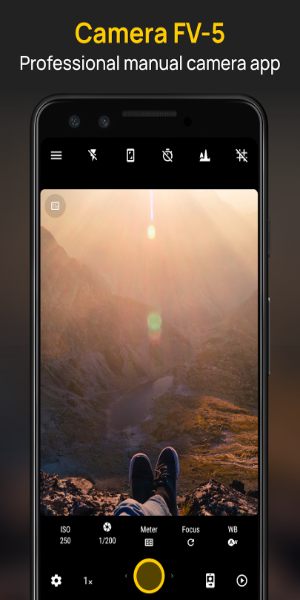
Camera FV-5 elevates smartphone photography by functioning as a professional-grade tool. It enables users to manually tweak ISO, exposure, focus, and other settings just like on a DSLR. Featuring customizable hardware buttons and various screen layouts, it provides precise control for capturing high-quality images, making it perfect for mobile photography enthusiasts.
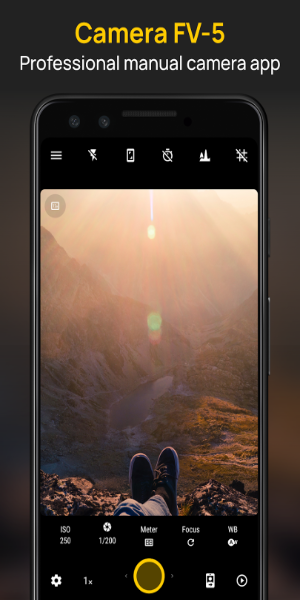
Camera FV-5 Overview
Designed to turn your smartphone into a professional camera, Camera FV-5 is an essential app for photographers who want high-quality results without carrying heavy gear. It delivers manual controls and features typically found in dedicated professional cameras.
How to Use
Camera FV-5 combines simplicity with advanced power. You can manually adjust key parameters like ISO, exposure compensation, focus mode, metering, white balance, and program modes. The app also lets you assign hardware buttons on your device to specific camera functions for faster operation. With multiple screen display options, composing precise shots becomes effortless.
Key Features
Manual Camera Controls
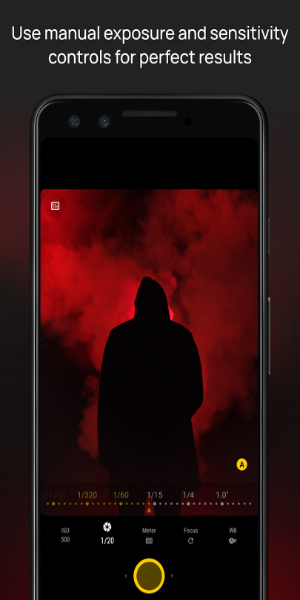
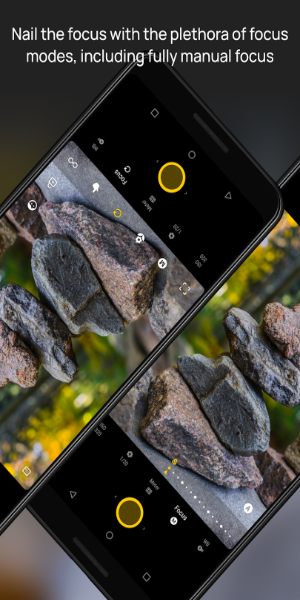
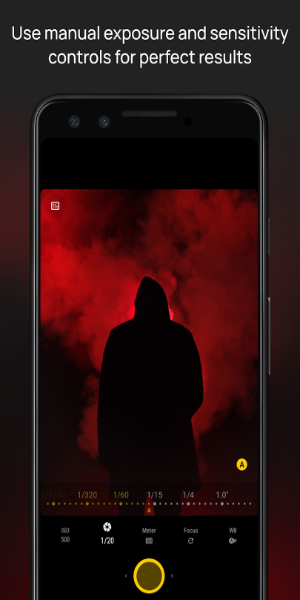
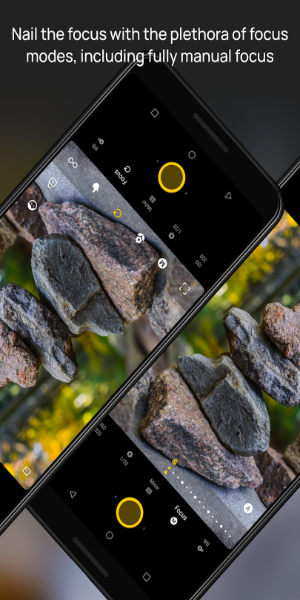
-ISO: Modify light sensitivity to ensure sharp, detailed photos in any lighting condition. -Exposure Compensation: Tweak brightness levels to prevent images from being too dark or washed out. -Focus Mode: Select between auto-focus, macro for close-ups, and manual focus for exact control. -Metering Mode: Dictate how the camera evaluates light to guarantee accurate exposure. -White Balance: Calibrate color temperature to render natural colors across different environments. -Program Mode: Prioritize shutter speed or aperture to achieve specific creative effects.
Hardware Button Customization
-Map your phone’s physical buttons (such as power or volume keys) to act as camera shortcuts. This enables rapid adjustments during shooting without relying on the touchscreen.
Multiple Screen Display Modes
-Switch between different viewfinder layouts to aid in framing and aligning your shots. These modes help improve composition accuracy and creative flexibility.
Diverse Photography Modes
-Exposure Compensation: Fine-tune image brightness separately from ISO or aperture settings. -Program and Speed-Priority Modes: Lock shutter speed for action photography or adjust aperture for depth-of-field control. -Autofocus and Manual Focus: Use autofocus for quick shots or switch to manual focus for pinpoint accuracy on specific subjects. -Macro and Touch-to-Focus: Get close-up details with macro mode or simply tap the screen to set your focal point.
Support Features
-Long Exposures: Capture scenes up to 30 seconds long, perfect for night photography, light trails, and low-light environments. -EXIF and XMP Metadata: Save detailed camera settings within each photo file for easy reference and organization later.
App Design and User Experience
The interface is built for both ease of use and functionality. Essential controls are readily accessible, while advanced users can dive deep into customization options. Camera FV-5 mimics the feel of a professional DSLR, ensuring a smooth experience whether you’re just starting out or are an experienced shooter.
Pros and Cons
Pros:
Professional Control: Provides extensive manual settings similar to those on DSLR cameras. Customization: Supports customization of hardware buttons and various screen layouts. Feature-rich: Offers a wide range of photography modes, including support for long exposures.
Cons:
Learning Curve: Mastering all advanced features may take some time. Hardware Limitations: Performance depends heavily on the capabilities of your specific phone’s hardware.
Experience Professional-Grade Mobile Photography
Camera FV-5 is essential for anyone aiming to upgrade their mobile photography skills. Whether you are a beginner learning manual controls or a professional needing powerful tools while traveling, this app delivers. With its intuitive design and robust feature set, Camera FV-5 helps you capture every moment with precision and style. Download today to unlock your creative potential and take stunning photos like never before.