Google Sheets is a powerful and flexible spreadsheet tool that lets you create, edit, and collaborate on spreadsheets directly from your Android device. Features like live collaboration, offline editing, and auto-save help you manage and analyze data efficiently. It also offers full compatibility with Excel files and smart, AI-powered insights to boost your productivity.
Google Sheets: Your Complete Spreadsheet Tool
Google Sheets is a versatile, cloud-based spreadsheet app built to boost productivity and simplify teamwork. Whether you're using your Android phone, tablet, or a desktop computer, you can easily create, edit, and share spreadsheets. It integrates smoothly with Google Workspace, offering a full-featured solution for organizing and analyzing your data.
Discover the Key Features of Google Sheets
Create and Edit Spreadsheets
With Google Sheets, you can start a new spreadsheet or update an existing one right from your mobile device. Its user-friendly interface lets you format cells, enter or sort data, and use formulas for advanced calculations. Tools like find and replace, data validation, and more give you complete control over your work.
Real-Time Collaboration
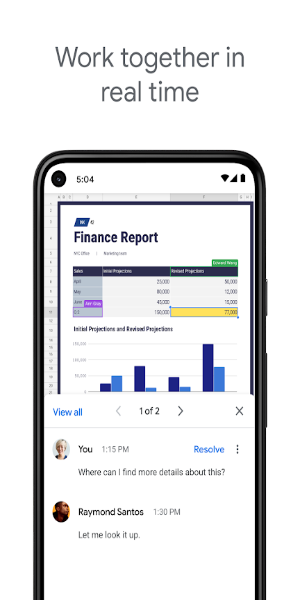
Collaborating is simple with Google Sheets. Share spreadsheets and work on them together in real time. Everyone sees updates instantly, improving teamwork and reducing confusion. You can also leave and reply to comments to keep communication clear and feedback organized.
Work Offline
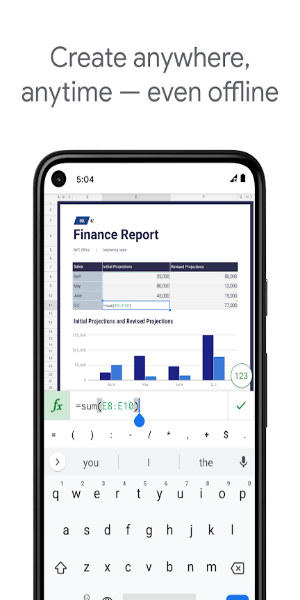
One of the best features of Google Sheets is offline access. Without an internet connection, you can still create, view, and edit your spreadsheets. When you reconnect, all your changes sync automatically so your data stays current.
Auto-Save Changes
Forget about losing your progress. Google Sheets saves your edits as you go, so you never have to press save manually. This gives you peace of mind, knowing your work is always protected and up to date.
Smart Suggestions and AI Insights
Google Sheets uses AI to provide smart tips on formatting, data analysis, and chart creation. Get instant insights and improve your spreadsheets with automated recommendations that simplify your tasks.
Microsoft Excel Compatibility
The app works perfectly with Microsoft Excel. Open, edit, and save Excel files without complications. This compatibility makes it easy to collaborate with Excel users and move your work across different platforms.
Premium Tools for Google Workspace Users
As part of Google Workspace, Sheets offers extra capabilities for subscribers:
Advanced Collaboration Features
Google Workspace users enjoy enhanced collaboration. Add team members to projects, monitor changes in real time, and get notifications for edits you missed. Built-in chat lets you communicate with colleagues directly inside the spreadsheet, speeding up teamwork.
AI-Powered Analytical Insights
Subscribers get access to deeper data analysis powered by Google’s AI. Generate insights and forecasts quickly, helping you make accurate, data-driven decisions.
Smooth Integration and Strong Security
Google Sheets works seamlessly with other essential business tools, streamlining data analysis and management. Enterprise-level security keeps your data safe, and you can build custom solutions to meet your company’s unique needs.
Advanced Analysis and Custom Solutions
Analyze data from multiple sources and create tailored solutions for your business. Google Workspace equips you with powerful tools and integrations to manage and understand your data effectively.
Get Started with Google Sheets Now
Google Sheets is more than a spreadsheet app—it’s a powerful platform for collaboration, analysis, and productivity. Whether for personal projects or complex business tasks, it delivers the flexibility, features, and security required to succeed. Download Google Sheets today and see how it transforms the way you manage spreadsheets and work with others.
With Google Sheets, handle any data task with confidence, collaborate effortlessly with your team, and make smarter decisions supported by powerful insights. Embrace cloud-based spreadsheets and take your productivity to the next level.