
Lens correctionTransforming your selfies with skin refining effectsEye corrector editorIllustrator photo editorBackground editorBeyond ordinary photo editingConclusionLens correction-------------------- Optical enhancement: The Lens Correction tool goes beyond standard adjustments by fixing distortions and flaws caused by the camera lens. It effectively addresses issues like barrel distortion, vignetting, and chromatic aberrations.- Automatic adjustment: This feature intelligently analyzes the specific characteristics of the lens used to capture your photo and applies corrections automatically. Users no longer need to manually identify or fix lens-specific distortions, streamlining the editing workflow.- Professional-grade results: Lens Correction ensures that final images are free from optical flaws, delivering photographs that are not only visually striking but also maintain a polished, professional quality.- Versatility: Whether you shoot with a smartphone camera or a high-end DSLR, Lensa’s Lens Correction adapts to various lens types, making it suitable for a wide range of photography equipment.- Timeless photography: By providing advanced correction capabilities, Lensa helps create enduring photographs that stand out due to their clarity, precision, and visual appeal.Transforming your selfies with skin refining effects--------------------------------------------------------Lensa is more than just a photo editor; it’s a specialized tool for retouching portrait selfies. Offering a wide array of filters and techniques, it caters to diverse needs, from enhancing image clarity to removing blemishes. Whether you’re an experienced photographer or a casual user, the Auto-Adjust feature simplifies the process, letting you focus on capturing the perfect shot. Its intuitive interface requires no prior expertise, while versatile editing tools and customization options provide the ideal blend for flawless photo enhancement.Eye corrector editor------------------------Acknowledging that eyes are key to facial expression, Lensa’s Eye Corrector Editor ensures they look their best. Users can control eyebrow shape, reduce dark circles, and eliminate eye bags for a natural, true-to-life portrayal. The Eyebrow Editor offers precision and ease of use, giving you full command over your features. Since modifications are reversible, you can experiment freely and return to the original image with ease.Illustrator photo editor----------------------------Lensa’s dedication to producing high-quality, timeless, and unique photos is clear in its Illustrator Photo Editor feature. Lens Correction optimizes effects for the perfect shot, while the Art Photo Contrast Editor fine-tunes lighting and adds artistic detail. You can also experiment with hair color changes and enhance your smile using the teeth whitener editor, adding a personal touch to your images.Background editor---------------------Lensa simplifies background editing—a task that is often challenging—by allowing you to effortlessly blur backgrounds, add motion effects to selfies, and use portrait mode as an enhancement tool. The intuitive design makes background adjustments seamless, letting you focus on the moment, while dynamic motion effects bring energy to your photos through the background changer editor.Beyond ordinary photo editing---------------------------------Lensa distinguishes itself with a rich set of additional features that offer unparalleled editing options. From improving poorly lit photos using the color intensity tool to applying diverse filters and effects for every taste, Lensa’s selfie editor refines each image before you share it on social media. The temperature tool adjusts the mood effortlessly, fade effect editing smoothly removes unwanted details, and saturation controls add character to your selfies. Additionally, the sharpness tool fixes blur caused by camera shake, while various tints help match your unique style and personality.Conclusion--------------Lensa stands out as a leading photo editing app, blending user-friendly design with powerful editing capabilities. Whether you’re new to photography or an experienced pro, Lensa enhances your experience, turning every shot into a masterpiece. Download Lensa today and unlock the full potential of your smartphone camera.

Lensa: photo editor & AI art
- Category : Photography
- Size : 95.12M
- Version : 5.2.2+823
- Platform : Android
- Rate : 4.2
- Update : Oct 07,2026
- Developer : Prisma Labs
- Package Name: com.lensa.app
Application Description
Lensa: photo editor & AI art Screenshots
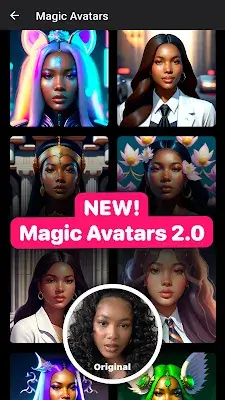
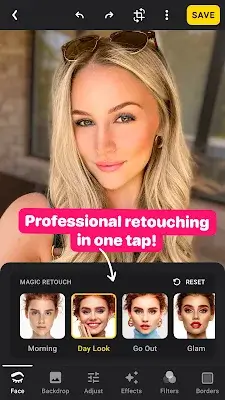
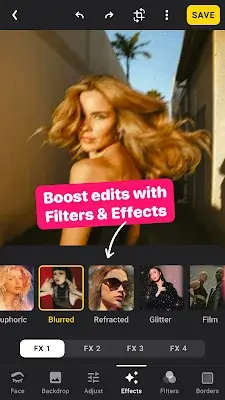
Apps like Lensa: photo editor & AI art
More+










Reviews
Post Comments
There are currently no comments available