Portable WiFi - Mobile Hotspot is the essential Android app for easily sharing your phone's internet connection. This free, intuitive tool lets you set up a personal hotspot in moments, keeping your friends and family seamlessly connected wherever you go.
Key Features of Portable WiFi - Mobile Hotspot
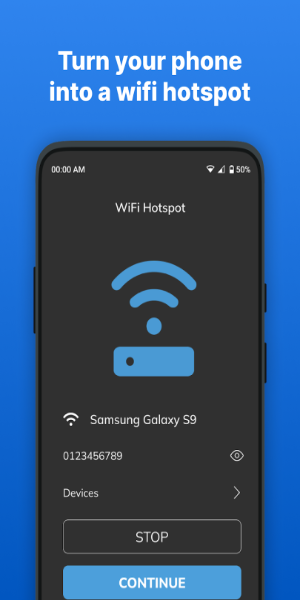
Easy Hotspot Setup: Transform your device into a portable WiFi hotspot with just a couple of taps.
Data Usage Tracking: Monitor your internet consumption and set limits by session, day, or month.
User-Friendly Interface: Features a clean, modern design that works smoothly on any smartphone or tablet.
Secure Connections: Opt for strong WPA2_PSK encryption or leave your hotspot open for easy access.
Flexible Sharing: Share your connection not only via WiFi, but also through Bluetooth or USB tethering.
Speed Testing: Measure your personal hotspot's performance to ensure you have the best possible connection.
Design and User Experience
Intuitive Interface
Portable WiFi - Mobile Hotspot boasts a clean, straightforward interface designed for effortless navigation. All core functions are within easy reach, making the app accessible for users of all experience levels.
Simple Hotspot Activation
Start sharing your internet connection almost instantly. With a streamlined activation process, you can launch a hotspot in seconds—no complex setup required.
Customizable Settings
Personalize your hotspot by setting your own network name (SSID) and password. This gives you control over security and lets you create a connection that fits your needs.
Visual Feedback
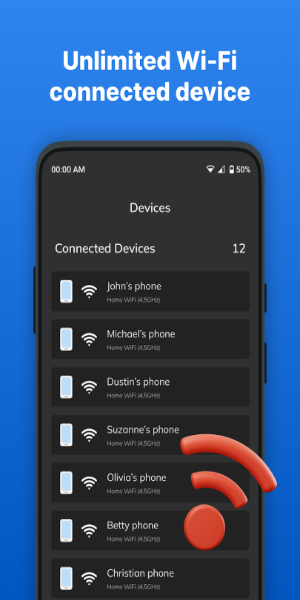
Stay informed with real-time status indicators showing connected devices and data usage. This clear visual feedback makes managing your hotspot simple and transparent.
Seamless Connectivity
The app delivers a stable, reliable connection, supporting multiple devices at once without dropouts. Enjoy consistent internet access for everyone connected.
Help and Support
Find readily accessible help and support resources within the app. Get clear guidance for troubleshooting or setup, ensuring help is there when you need it.
What's New
The built-in WiFi speed test tool has been updated for better accuracy.
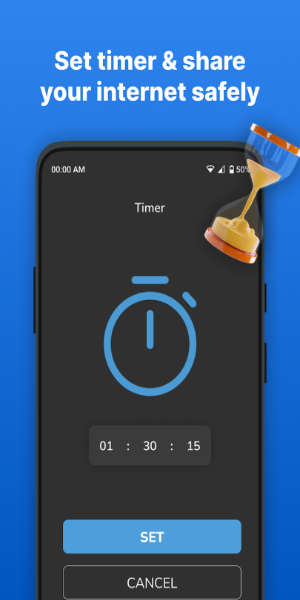
You can now set time limits on your WiFi network to manage usage.