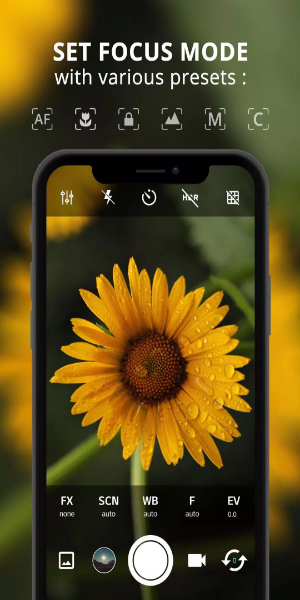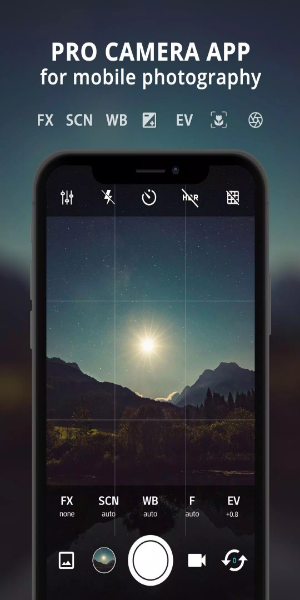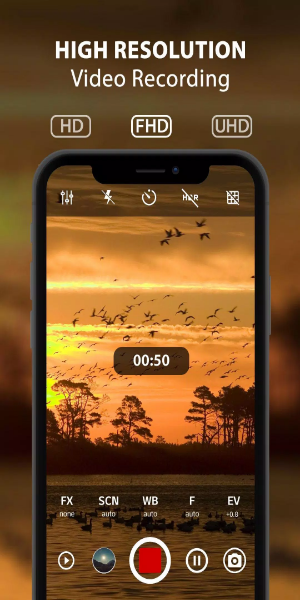
ProCam X Lite: HD Camera Pro is a powerful mobile photography app designed to elevate your smartphone photo and video capture. It brings professional-grade controls and features to your fingertips, enabling you to take stunning HD photos and videos. Whether you're new to photography or an experienced user, ProCam X Lite delivers intuitive management of exposure, ISO, focus, real-time filters, and editing tools. Capture your moments with enhanced precision and creative freedom. Experience the fusion of professional quality and user-friendly design with ProCam X Lite, where convenience fuels creativity.
Features
- Exposure Control: Gain complete creative authority by locking or manually fine-tuning exposure. Achieve the ideal interplay of light and shadow in any scene.
- White Balance Control: Fine-tune white balance to accurately reflect your shooting environment. Get true-to-life colors whether shooting indoors or under natural light.
- Manual ISO: On camera2api-supported devices, manually adjust ISO to manage sensor sensitivity. Control image noise and capture clear shots in low-light conditions without quality loss.
- Manual Focus: Enabled via camera2api, this offers precise focus adjustment for razor-sharp, clear photos with professional depth-of-field control.
- Manual Shutter Speed: On compatible devices, manually set shutter speed to control exposure time. Perfect for creating motion blur in action shots or freezing fast-moving subjects.
- Intervalometer: Automate time-lapse and stop-motion video creation. Set intervals between shots to document gradual changes and bring scenes to life.
- Burst Shooting Mode: Capture rapid sequences of shots to never miss a fleeting moment. Select the perfect frame from fast-paced action or spontaneous expressions.
- Custom Video Bit Rate: Tailor the video bit rate to balance recording quality and file size. Enjoy crisp, clear videos with minimal compression artifacts.
- Real-time Filters/Color Effects: Instantly transform your images with a variety of live filters and color effects. Experiment with styles and moods to add an artistic touch.
- Geotagging: Automatically tag photos with location data. Organize and relive memories based on where they were captured, ideal for travel documentation.
- Anti Shake: Reduce camera shake for sharper images, especially in challenging conditions or at high zoom. This minimizes blur caused by hand movement for professional results.

How to Use
1. Installation and Setup:
- Download and install ProCam X Lite from the Google Play Store.
- Launch the app and grant required permissions for camera and storage access.
2. Navigating the Interface:
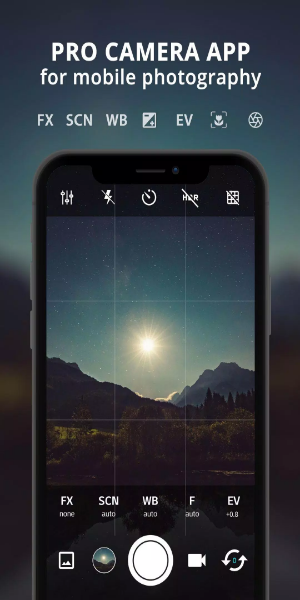
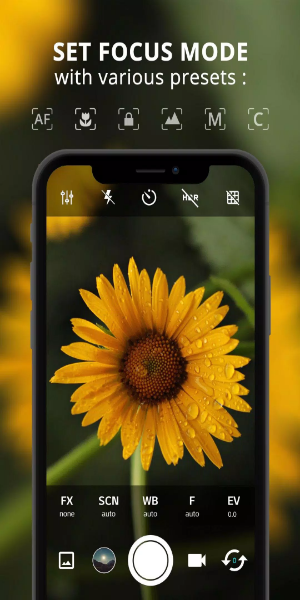
- Explore the user-friendly interface featuring controls for exposure, ISO, shutter speed, and white balance.
- Discover additional options like live filters, grid overlays, and geotagging settings.
3. Setting up Manual Controls:
- On camera2api-enabled devices, access manual controls for ISO, focus, and shutter speed.
- Manually adjust these settings for precise exposure, sharp focus, and creative motion effects.
4. Exploring Shooting Modes:
- Try different modes like Burst Mode to capture multiple shots quickly.
- Use the Intervalometer for time-lapse or stop-motion videos with customizable intervals.
5. Enhancing Creativity with Filters:
- Apply real-time filters and color effects to instantly change the look of your photos and videos.
- Customize the visual style to match your creative vision.
6. Utilizing Geotagging:
- Enable geotagging to automatically add location metadata to your photos.
- Keep track of shooting locations and organize your gallery geographically.
7. Optimizing Video Recording:
- Adjust video resolution and bitrate to optimize quality and storage use.
- Record high-definition videos, optionally with audio, to capture memorable moments.
8. Managing Preferences and Settings:
- Customize app settings to your liking, such as muting the shutter sound or configuring volume keys for quick access.
- Explore features like anti-shake to reduce camera movement and improve image stability.
9. Reviewing and Sharing:
- Preview your photos and videos in-app before saving or sharing.
- Share your creations directly from ProCam X Lite to social media or cloud storage.
10. Continuous Learning and Experimentation:
- Keep exploring new features and app updates.
- Experiment with various photography techniques and settings to hone your skills and expand your creativity.
By following these steps, you can fully leverage ProCam X Lite: HD Camera Pro to capture professional-quality photos and videos on your Android device, significantly enhancing your mobile photography journey.
Conclusion:
ProCam X Lite: HD Camera Pro is a standout, versatile tool for mobile photography lovers. Its extensive suite of advanced features—including manual exposure, ISO, and focus controls, plus real-time filters and geotagging—empowers both beginners and pros to capture stunning imagery effortlessly. Whether you aim to improve your photography skills or simply enjoy creative experimentation, ProCam X Lite offers a smooth and intuitive experience. Step into the world of professional smartphone photography and unlock endless possibilities for visual storytelling with ProCam X Lite: HD Camera Pro.