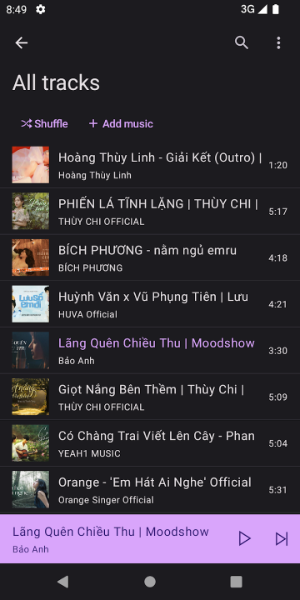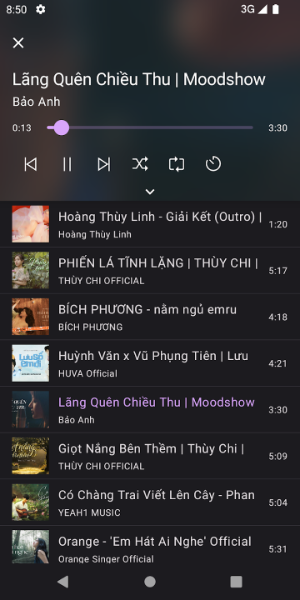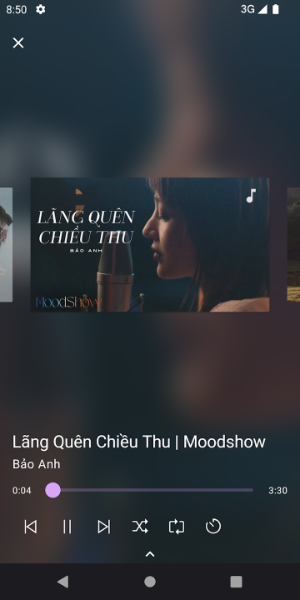
TMusic lets you easily play and manage music from your Google Drive. With its sleek, fast design, this app downloads audio tracks directly to your device—saving data while offering playlist management, ad-free background play, and customizable playback options for a smooth listening experience.
TMusic Key Features
❤ Data Saver: Download tracks directly to your device to reduce data usage and enjoy seamless listening.
❤ Playlist Management: Organize your music effortlessly with custom playlists, so your favorite songs are always within reach.
❤ Ad-Free Background Play: Listen without interruptions—play music in the background completely ad-free.
❤ Custom Playback: Set a sleep timer, enable gapless playback, crossfade tracks, and adjust individual track volume.
Helpful User Tips
❤ Create Multiple Playlists: Use different playlists for various moods or occasions to keep your music organized.
❤ Set a Sleep Timer: Automatically stop playback after a set time—great for listening as you fall asleep.
❤ Try Crossfade & Volume Controls: Personalize transitions between songs and fine-tune volume levels for each track.
Design and User Experience
Sleek and Minimalist Design
TMusic has a clean, modern interface that puts user experience first. Navigate effortlessly and access your music without clutter.
Fast Performance
Built for speed—quick loading and smooth track transitions keep your music flowing without delays.
Smart Audio Management
Organize your music into personalized playlists, making it easy to find and play the songs you love.
Ad-Free Listening
Listen distraction-free—no ads to interrupt your music. Just uninterrupted sound wherever you go.
Customizable Playback Features
Refine your listening with gapless playback, crossfade, and per-track volume controls—tailor every detail your way.
What's New
App renamed.