
Uber Driver is a mobile application designed specifically for Android devices, allowing users to become drivers on Uber, one of the world's leading ride-sharing platforms. This app enables individuals to offer transportation services, providing the freedom to generate income at their own pace. By selecting their preferred driving hours, users take charge of their work schedule and enjoy the benefits of self-employment.
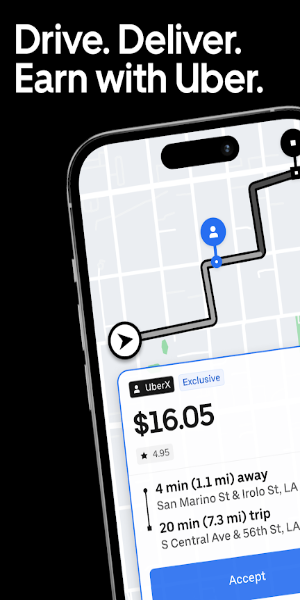
Key Features:
Drive on Your Terms
At Uber, you have the power to drive or deliver according to your own schedule, backed by exceptional flexibility and support. Whether you choose driving passengers or delivering goods, Uber offers unique opportunities that align with your lifestyle and preferences.
Your Schedule, Your Way
Choose how you want to earn money — whether using a bicycle or a car, Uber provides the freedom to work anytime and anywhere. Create a schedule that fits around your life, giving you complete control over your earning potential.
Optimize Your Income
Boost your earnings with smart features like the Earnings Estimator, which identifies peak times for making money and helps you build a flexible schedule tailored to maximize your income.
Global Reach
With Uber operating in more than 10,000 cities around the world, you can earn anywhere from busy San Francisco streets to lively New York neighborhoods or dynamic Austin venues.
Fast Access to Your Money
Use Uber's Instant Pay feature to cash out your earnings up to five times a day, giving you immediate access to your funds whenever needed.
Enhanced Driving Experience
Connect the Uber Driver app with Android Auto for a smoother experience. Accept rides, follow turn-by-turn navigation, and earn effortlessly — all directly from your car's dashboard.
Quick Registration
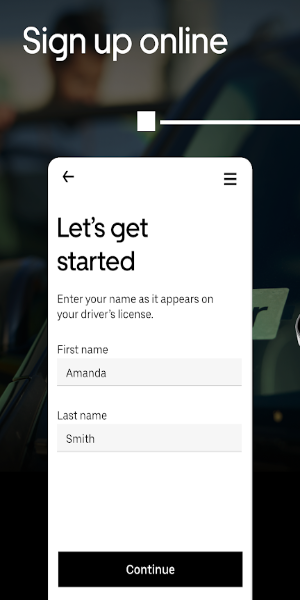
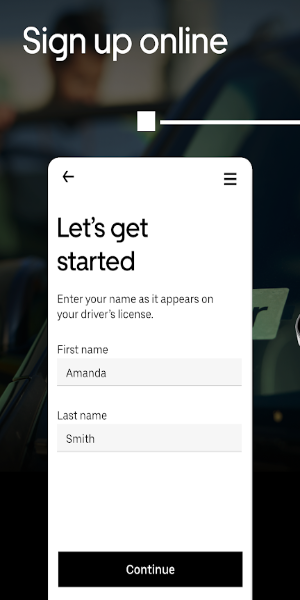
Getting started is fast and simple. Sign up in just minutes and begin driving, delivering, and earning with Uber right away.
App Interface Overview:
- The Uber Driver app features an intuitive interface designed to make driving and delivery tasks easier for users.
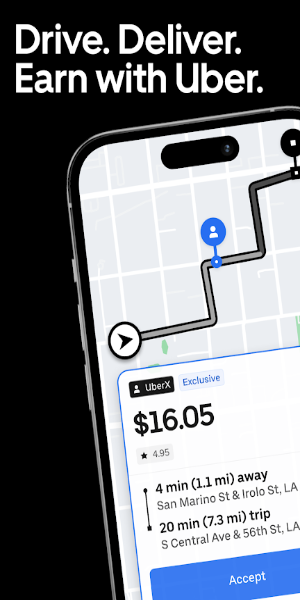
- Dashboard at a Glance: After logging in, drivers see a clean dashboard showing key details like current trip requests, earnings summaries, and navigation tools. The layout is easy to use, helping drivers find what they need quickly without distractions.
- Managing Trips: A dedicated section allows drivers to handle incoming ride or delivery requests. You can view options, accept or decline trips based on your preference, and get real-time updates on trip details.
- Built-in Navigation: The app integrates smoothly with navigation systems so you can reach pickup and drop-off points efficiently. Turn-by-turn directions appear within the app, reducing the need to switch screens while driving.
- Tracking Earnings and Ratings: Monitor your income and performance ratings easily through the interface. Detailed reports show trip fares and tips, helping you keep track of your earnings in real time.
- Personalized Settings: Customize your experience by adjusting notification preferences, choosing between ride or delivery trips, and setting your availability status (online or offline) to match your schedule.
- Support Center Access: The app includes easy access to Uber's support team. Drivers can quickly find help, report problems, or learn more about app features and policies.
Installation Guide:
Get the APK File: Download the APK from a reliable source, such as 40407.com.
Allow Unknown Sources: Go to your device settings, find the security section, and enable installation of apps from unknown sources.
Install the App: Find the downloaded APK file on your device and follow the prompts to install it.
Start Using It: Open the app and begin driving or delivering with Uber.