Mastering Marvel Rivals: Optimize Your Settings for Peak Performance
Marvel Rivals delivers exhilarating battles, iconic heroes, and stunning visuals. While well-optimized, fine-tuning your settings can significantly enhance gameplay fluidity and control. This guide details adjustments for display, graphics, and audio, maximizing your hardware's potential and unleashing your inner superhero.
(Note: Settings not explicitly mentioned here are customizable based on personal preference, including binds, accessibility, and social options.)
Marvel Rivals: Optimal Display Settings
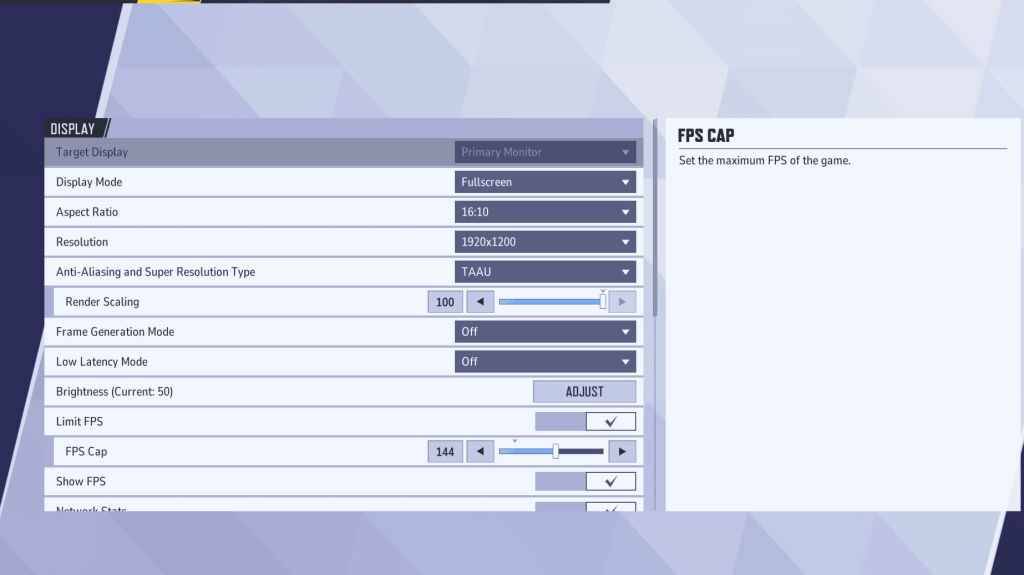
Begin with your display settings. Fullscreen mode is ideal for competitive play, dedicating all system resources to the game for maximum FPS and minimal distractions. Borderless Windowed mode offers multitasking convenience but may slightly reduce frame rate and introduce input lag.
| Setting | Description | Best Setting |
|---|---|---|
| Display Mode | How the game is displayed. | Fullscreen (performance) or Borderless Windowed (multitasking) |
| Resolution | Screen resolution. | Monitor's Native Resolution |
| Aspect Ratio | Game display width and height, matching your monitor's native ratio. | Monitor's Native Aspect Ratio |
| Anti-aliasing & Super Resolution | Anti-aliasing and resolution scaling technologies. | Experiment to find best performance; TAAU often a safe starting point. |
| Frame Generation | Varies by PC; TAAU is generally a safe option. | Off |
| Low Latency Mode | Reduces input lag (Nvidia GPUs only). | On + Boost (if available) |
| V-Sync | Synchronizes frame rate with monitor refresh rate; may introduce input lag. | Off |
| Limit FPS | Caps maximum frame rate; stabilizes performance and reduces GPU strain. | Monitor's refresh rate |
| Show FPS | Displays current FPS on-screen. | On |
| Network Stats | Displays network statistics. | On |
Marvel Rivals: Optimal Graphics Settings
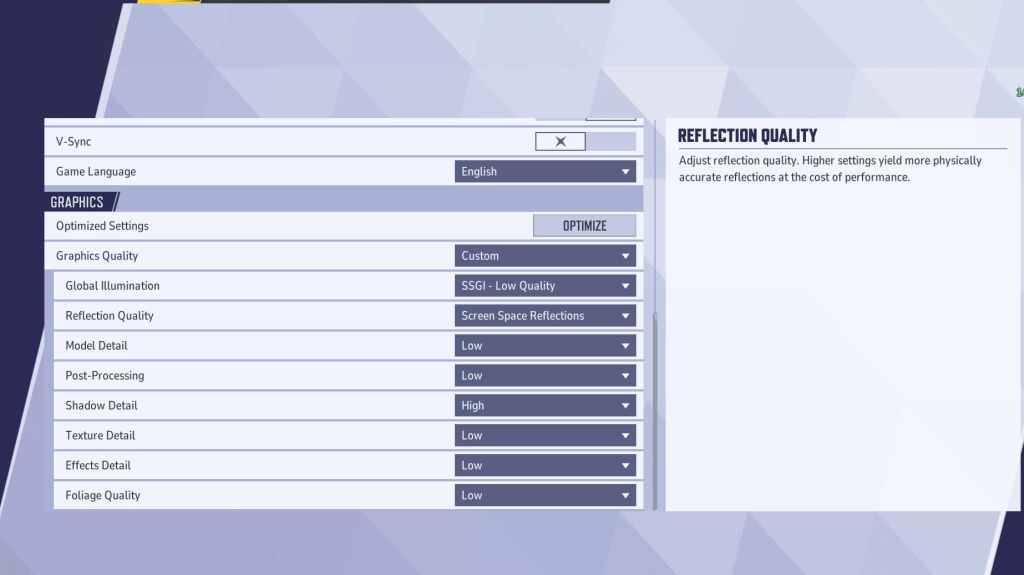
Graphics settings significantly impact performance. Prioritize performance over visual fidelity for competitive play, setting most options to Low for smoother, more responsive gameplay. High-end PCs can experiment with Medium or High settings for improved visuals.
| Setting | Description | Best Setting |
|---|---|---|
| Graphics Quality | Preset adjusting multiple visual settings. | Custom |
| Global Illumination | Simulates light bouncing; higher settings are more realistic but demanding. | SSGI – Low Quality |
| Reflection Quality | Clarity and realism of reflections. | Screen Space Reflections |
| Model Detail | Complexity and realism of models. | Low |
| Post-Processing | Visual effects like motion blur and depth of field. | Low |
| Shadow Detail | Sharpness and quality of shadows. | High |
| Texture Detail | Resolution of in-game textures. | Low |
| Effects Detail | Quality of visual effects. | Low |
| Foliage Quality | Density and detail of environmental elements. | Low |
Disable mouse acceleration in both the game and Windows settings for improved aiming precision.
Marvel Rivals: Optimal Audio Settings
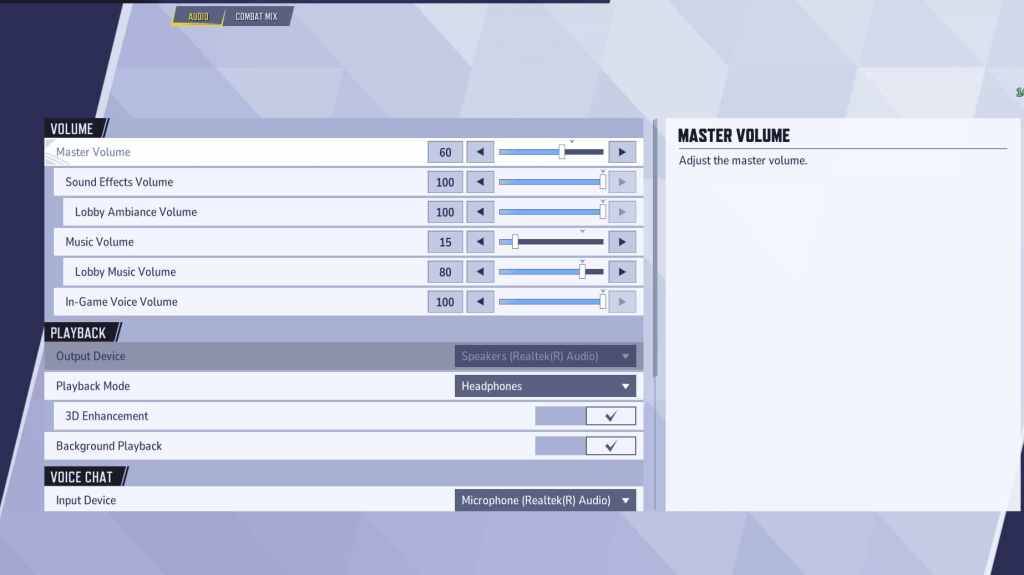
Audio significantly enhances gameplay. Enable 3D Enhancement for improved spatial sound, aiding in pinpointing enemy positions and abilities. Use HRTF (if available) for further audio cue enhancement. Adjust volume levels to your preference.
This comprehensive guide helps you optimize Marvel Rivals settings for a superior gaming experience. Remember to experiment and find the perfect balance between performance and visuals for your system.