Experience Ragnarok Origin: ROO Reimagined on Your Mac with BlueStacks Air
Ragnarok Origin: ROO, a stunning reimagining of the classic Ragnarok Online, offers enhanced visuals, modern gameplay, and a vast world of adventure. Developed by Gravity, it retains the original MMORPG's charm while boasting high-quality 3D graphics, smooth animations, and an immersive open world. Previously unavailable to Mac users, ROO is now playable natively on macOS thanks to BlueStacks Air, eliminating lag and crashes. We tested it on a Macbook with surprisingly positive results.
Unleash the Anime-Style Visuals on Your Mac Display
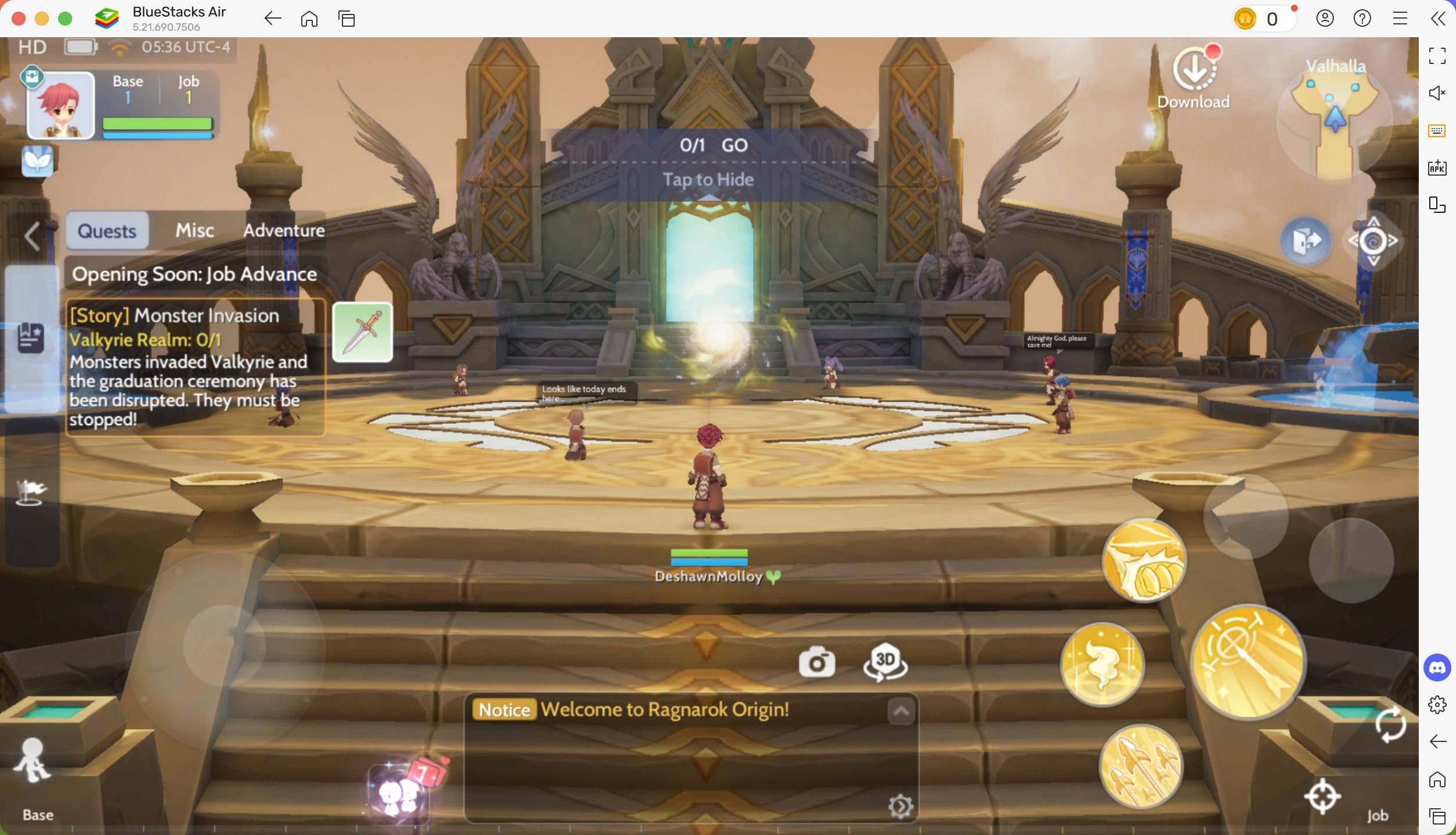
Playing ROO on a Mac reveals its true visual splendor. Mac's Retina displays bring the vibrant colors and detailed textures of this anime-styled game to life. The lush, detailed environments and character models shine, delivering a crisp, immersive gaming experience. Full-screen mode, easily activated with Fn + F, maximizes the larger screen real estate, providing enhanced visibility, particularly advantageous during combat.
Master Gameplay with Keyboard and Mouse Precision
BlueStacks Air transforms gameplay by offering customizable keyboard and mouse controls. Say goodbye to frustrating touch controls! Precise aiming and attacks, along with hotkey assignments for abilities, significantly improve combat efficiency – crucial for maximizing loot in challenging dungeons. BlueStacks provides complete keymapping, letting you tailor controls to your preferred style. Inventory management becomes significantly easier with drag-and-drop functionality. Access pre-set controls via SHIFT + TAB, or create your own custom schemes.
Extended Play Sessions Without Battery or Notification Woes
MMORPGs like ROO demand extended playtime, often interrupted by mobile device limitations. Mac eliminates battery drain and overheating concerns. Further, the Mac experience avoids interruptions from calls, messages, and notifications, ensuring an uninterrupted gaming session, crucial for those intense boss fights.
Installing and Playing Ragnarok Origin: ROO on BlueStacks Air
Installing BlueStacks Air on your Mac is simple and fast, taking only minutes. Follow these steps:
- Download BlueStacks Air: Visit the game's page and click "Play Ragnarok Origin: ROO on MAC" to download the installer.
- Install BlueStacks Air: Double-click
BlueStacksInstaller.pkgand follow the on-screen instructions. - Launch and Sign In: Open BlueStacks Air from your Launchpad or Applications folder and sign in with your Google account.
- Install Ragnarok Origin: ROO: Search for and install Ragnarok Origin: ROO from the Play Store.
- Enjoy the Game! Launch the game and explore the world!
BlueStacks Air on Mac delivers a superior Ragnarok Origin: ROO experience. Enhanced visuals, precise controls, and uninterrupted gameplay make it the ultimate way to enjoy this captivating MMORPG. Upgrade your ROO adventure today!